猫も杓子もMCPということで、LaravelでMCPサーバーを作成する手順の記録です。
サンプルとしてDB内のユーザー検索のMCPサーバーを作ります。
MCPインスペクターで動作確認します。
公式ドキュメントに沿って作成していきます。

前提条件
- PHP 8.2以降インストール済(Laravel12の要件。Laravel MCPは8.1以降。)
- Node.js v24 インストール済(MCPインスペクター用。要件記述はないがv22でもいける模様)
- Composer v2 インストール済
- Laravelインストーラーインストール済
- Laravel12を使っていきます
- Ubuntu24.04.2 LTS (WSL2 on Windows11) 上で作業していきます
▼PHP
▼Node.js

▼Composer
基本的にphpenvで一緒にインストールされますが、特定のバージョンが欲しい等があれば:

▼Laravelインストーラーはcomposerでインストールできます。
composer global require laravel/installerこれからやること
- Laravel新規プロジェクト作成
- ダミーユーザー作成
- laravel/mcp インストール
- MCPサーバークラス作成
- ルーティング
- Toolクラス作成
- MCPサーバーへToolクラス登録
- MCPインスペクターでの動作テスト
- Github Copilot CLIのMCP追加設定
- Github Copilot CLIで動作確認
※今回はResourceやPromptは作成しません。
※Github Copilot CLIについては次の記事をご覧ください。

Laravel新規プロジェクト作成
Laravel新規プロジェクト「search-user-mcp」を作成します。
laravel new search-user-mcp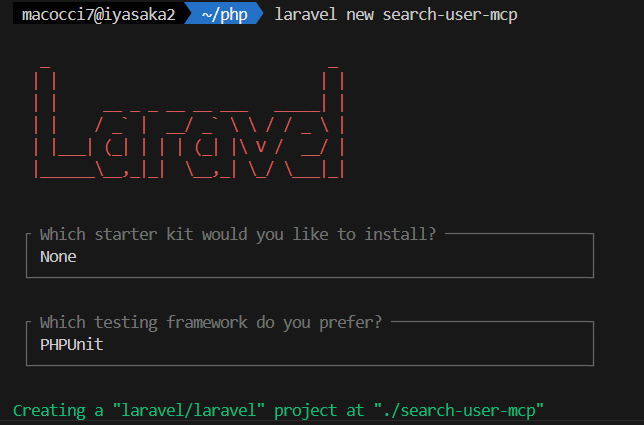
MCPサーバーはPHPのみで動くので、スタックは好きに選んでかまいません。
因みに、MCPサーバーは通常のLaravel WEBアプリケーションと同居可能です。
ということで、既存プロジェクトへの追加設置が可能です。
MCPサーバーはHTTPアクセスと標準入出力の2種類から(あるいは両方)選択可能ですが、
HTTPアクセスの場合のエンドポイントは「/mcp/[mcpサーバー名]」のような感じになります。
ダミーユーザー作成
作成したLaravelプロジェクト「search-user-mcp」フォルダに入ってから
tinkerでダミーユーザーを100件作成してみます。
cd search-user-mcp
php artisan tinker
\App\Models\User::factory()->count(100)->create();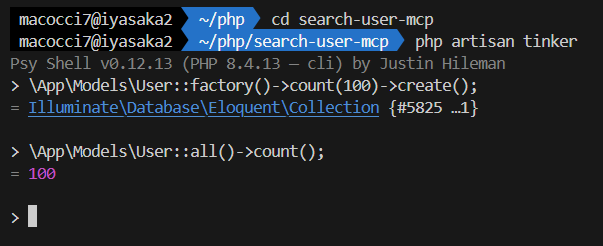
どうやら最近のtinkerは作成したユーザーのレコードが表示されなくなったようです。
Laravel MCPインストール
composerでLaravel MCPをインストールします。
composer require laravel/mcp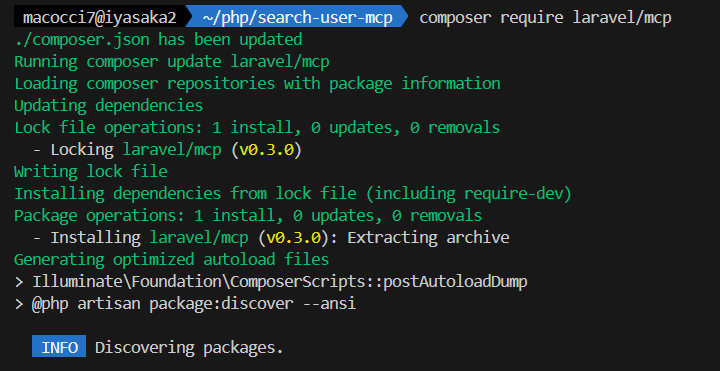
MCPサーバー用のルーティング「routes/ai.php」をpublishします。
php artisan vendor:publish --tag=ai-routes
MCPサーバークラス作成
MCPサーバー本体のクラス「SearchUserServer」を作成します。
php artisan make:mcp-server SearchUserServer
▼「app/Mcp/Servers/SearchUserServer.php」が作成されました。
<?php

namespace App\Mcp\Servers;

use Laravel\Mcp\Server;

class SearchUserServer extends Server
{
    /**
     * The MCP server's name.
     */
    protected string $name = 'Search User Server';

    /**
     * The MCP server's version.
     */
    protected string $version = '0.0.1';

    /**
     * The MCP server's instructions for the LLM.
     */
    protected string $instructions = <<<'MARKDOWN'
        Instructions describing how to use the server and its features.
    MARKDOWN;

    /**
     * The tools registered with this MCP server.
     *
     * @var array<int, class-string<\Laravel\Mcp\Server\Tool>>
     */
    protected array $tools = [
        //
    ];

    /**
     * The resources registered with this MCP server.
     *
     * @var array<int, class-string<\Laravel\Mcp\Server\Resource>>
     */
    protected array $resources = [
        //
    ];

    /**
     * The prompts registered with this MCP server.
     *
     * @var array<int, class-string<\Laravel\Mcp\Server\Prompt>>
     */
    protected array $prompts = [
        //
    ];
}
ルーティング
作成したMCPサーバーのクラスをルーティングに登録します。
▼「routes/ai.php」を編集
<?php

use Laravel\Mcp\Facades\Mcp;

// HTTPアクセス
Mcp::web('/mcp/search-user', \App\Mcp\Servers\SearchUserServer::class);
// 標準入出力
Mcp::local('search-user', \App\Mcp\Servers\SearchUserServer::class);
※ルーティングは基本的に「Mcp::web()」または「Mcp::local()」を使いますが、
メソッドチェーンで「->middleware()」なども使えます。
Toolクラス作成
Toolクラス「SearchUserTool」を作成します。
php artisan make:mcp-tool SearchUserTool
▼「app/Mcp/Tools/SearchUserTool.php」が作成されました。
<?php

namespace App\Mcp\Tools;

use Illuminate\JsonSchema\JsonSchema;
use Laravel\Mcp\Request;
use Laravel\Mcp\Response;
use Laravel\Mcp\Server\Tool;

class SearchUserTool extends Tool
{
    /**
     * The tool's description.
     */
    protected string $description = <<<'MARKDOWN'
        A description of what this tool does.
    MARKDOWN;

    /**
     * Handle the tool request.
     */
    public function handle(Request $request): Response
    {
        //

        return Response::text('The content generated by the tool.');
    }

    /**
     * Get the tool's input schema.
     *
     * @return array<string, \Illuminate\JsonSchema\JsonSchema>
     */
    public function schema(JsonSchema $schema): array
    {
        return [
            //
        ];
    }
}
作成したToolクラスを使えるようにするには、Serverクラスの「$tools」に登録します。
▼「app/Mcp/Servers/SearchUserServer.php」
<?php

namespace App\Mcp\Servers;

use Laravel\Mcp\Server;

class SearchUserServer extends Server
{
    /**
     * The MCP server's name.
     */
    protected string $name = 'Search User Server';

    /**
     * The MCP server's version.
     */
    protected string $version = '0.0.1';

    /**
     * The MCP server's instructions for the LLM.
     */
    protected string $instructions = <<<'MARKDOWN'
        Instructions describing how to use the server and its features.
    MARKDOWN;

    /**
     * The tools registered with this MCP server.
     *
     * @var array<int, class-string<\Laravel\Mcp\Server\Tool>>
     */
    protected array $tools = [
        \App\Mcp\Tools\SearchUserTool::class,
    ];

    /**
     * The resources registered with this MCP server.
     *
     * @var array<int, class-string<\Laravel\Mcp\Server\Resource>>
     */
    protected array $resources = [
        //
    ];

    /**
     * The prompts registered with this MCP server.
     *
     * @var array<int, class-string<\Laravel\Mcp\Server\Prompt>>
     */
    protected array $prompts = [
        //
    ];
}
Tool名、Toolタイトル、Toolの説明を設定します。
▼「app/Mcp/Tools/SearchUserTool.php」
    protected string $name = 'search-user';

    protected string $title = 'Search User';

    protected string $description = 'This tool allows you to search for users in the system.';
続いて、スキーマ(入力パラメータの定義)を設定します。
これはあくまで入力パラメータの定義を言語モデルに説明する内容になります。
実際のバリデーションはこの後の処理ロジック(handle()メソッド)側で実施します。
今回、ユーザー検索ツールでは次のパラメータを受け付けることにします。
- ID:任意指定、整数、最小値1
- ユーザー名:任意指定、文字列、最大100文字(あいまい検索)
- メールアドレス:任意指定、文字列、最大100文字(あいまい検索)
- 論理演算子:任意指定、ANDまたはOR、デフォルトAND
- ページ当たりの表示件数:任意指定、整数、1~100、デフォルト10
- ページ番号:任意指定、整数、最小値1、デフォルト1
※論理演算子は、ID・ユーザー名・メールアドレスの検索条件の結合に使います。(enum()を使いたいだけ)
▼「app/Mcp/Tools/SearchUserTool.php」
    public function schema(JsonSchema $schema): array
    {
        return [
            'id' => $schema->integer()
                ->description('The ID of the user to search for.'),
            'name' => $schema->string()
                ->description('The name of the user to search for.'),
            'email' => $schema->string()
                ->description('The email of the user to search for.'),
            'logical-operator' => $schema->string()
                ->enum(['AND', 'OR'])
                ->description('The logical operator to combine search criteria.'),
            'per-page' => $schema->integer()
                ->description('The number of results to return per page (from 1 to 100).')
                ->default(10),
            'page' => $schema->integer()
                ->description('The page number of results to return.')
                ->default(1),
        ];
    }
※必須パラメータの場合は「$schema->require()->description()…」のようにします。
バリデータを返す箇所をメソッドに切り分けました。
▼「app/Mcp/Tools/SearchUserTool.php」
use Illuminate\Support\Facades\Validator;

    protected function getValidator(Request $request): \Illuminate\Validation\Validator
    {
        return Validator::make($request->all(), [
            'id' => 'integer|min:1',
            'name' => 'string|max:100',
            'email' => 'string|max:100',
            'logical-operator' => 'string|in:AND,OR,and,or',
            'per-page' => 'integer|min:1|max:100',
            'page' => 'integer|min:1',
        ],[
            'id.integer' => 'ID must be an integer value.',
            'id.min' => 'ID must be at least 1.',
            'name.string' => 'Name must be string value.',
            'email.string' => 'Email must be string value.',
            'email.max' => 'Email must not exceed 100 characters.',
            'logical-operator.string' => 'Logical operator must be a string value.',
            'logical-operator.in' => 'Logical operator must be either AND or OR.',
            'per-page.integer' => 'Per-page must be an integer value between 1 and 100.',
            'per-page.min' => 'Per-page must be at least 1.',
            'per-page.max' => 'Per-page may not be greater than 100.',
            'page.integer' => 'Page must be an integer value of at least 1.',
            'page.min' => 'Page must be at least 1.',
        ]);
    }
バリデーションの処理部分
▼「app/Mcp/Tools/SearchUserTool.php」
use Illuminate\Support\Facades\Log;

    public function handle(Request $request): Response
    {
        $validator = $this->getValidator($request);

        if ($validator->fails()) {
            Log::error('Validation failed', ['errors' => $validator->errors()->all()]);
            return Response::text('Invalid input parameters: ' . implode(', ', $validator->errors()->all()));
        }

        ...
    }
ユーザー検索の箇所も別メソッドに切り分けました。
▼「app/Mcp/Tools/SearchUserTool.php」
    protected function searchUsers(array $validated): LengthAwarePaginator
    {
        $columns = ['id', 'name', 'email'];
        $query = User::query()->select($columns);
        $logicalOperator = strtoupper($validated['logical-operator'] ?? 'AND');
        $conditions = [];
        if (isset($validated['id'])) {
            $conditions[] = ['id', '=', $validated['id']];
        }
        if (isset($validated['name'])) {
            $conditions[] = ['name', 'LIKE', '%' . $validated['name'] . '%'];
        }
        if (isset($validated['email'])) {
            $conditions[] = ['email', 'LIKE', '%' . $validated['email'] . '%'];
        }
        if (! empty($conditions)) {
            if ($logicalOperator === 'AND') {
                foreach ($conditions as $condition) {
                    $query->where(...$condition);
                }
            } else {
                $query->where(function ($q) use ($conditions) {
                    foreach ($conditions as $condition) {
                        $q->orWhere(...$condition);
                    }
                });
            }
        }
        $perPage = $validated['per-page'] ?? 10;
        $page = $validated['page'] ?? 1;
        return $query->paginate($perPage, page: $page);
    }
※ページネーションしておかないと、件数が多い場合に長大なレスポンスでモデル側のトークン消費が増大してしまいます。
※出力するカラムは意図的に絞りましょう。パスワードなどの機密情報は要注意。
ユーザー検索結果の取得以降、レスポンスを返す箇所までの処理:
▼「app/Mcp/Tools/SearchUserTool.php」
    public function handle(Request $request): Response
    {
        ...

        $validated = $validator->validated();
        $users = $this->searchUsers($validated);
        Log::debug($users->count() . ' users found.');

        return Response::json([
            'status' => 'success',
            'meta' => [
                'total' => $users->total(),
                'per_page' => $users->perPage(),
                'page' => $users->currentPage(),
                'last_page' => $users->lastPage(),
                'query' => [
                    'id' => $validated["id"] ?? null,
                    'name' => $validated["name"] ?? null,
                    'email' => $validated["email"] ?? null,
                    'logical-operator' => $validated["logical-operator"] ?? null,
                    'per-page' => $validated["per-page"] ?? null,
                    'page' => $validated["page"] ?? null,
                ],
            ],
            'data' => $users->items(),
            'summary' => "Found {$users->total()} users matching the criteria.",
        ]);
    }
このメソッドで返すJSON構造はChatGPT推奨の構造だそうです。え、本当!?
DBの検索結果レコードをMCPサーバーのレスポンスとして返す際のJSON構造のベストプラクティスはありますか?
非常に良い質問です。
Laravel MCP サーバーで DB検索結果を返すJSON構造 には、
MCPクライアント(=ChatGPTなどのLLM)にとって理解しやすく、拡張性と整合性のある設計が求められます。
🎯 結論(ベストプラクティス構造)
以下のような構造が最も実用的で、OpenAI/Anthropic/Google系MCPクライアントの期待仕様にも整合します:{ "status": "success", "meta": { "total": 123, "page": 1, "per_page": 10, "query": "keyword=apple" }, "data": [ { "id": 1, "name": "Apple Inc.", "category": "Technology", "founded": 1976, "country": "USA" }, { "id": 2, "name": "Apple Japan G.K.", "category": "Subsidiary", "founded": 2003, "country": "Japan" } ], "summary": "Found 123 companies matching 'apple'. Showing first 10 results." }
完成形:
▼「app/Mcp/Tools/SearchUserMcp.php」
<?php

namespace App\Mcp\Tools;

use App\Models\User;
use Illuminate\JsonSchema\JsonSchema;
use Illuminate\Pagination\LengthAwarePaginator;
use Illuminate\Support\Facades\Log;
use Illuminate\Support\Facades\Validator;
use Laravel\Mcp\Request;
use Laravel\Mcp\Response;
use Laravel\Mcp\Server\Tool;

class SearchUserTool extends Tool
{
    protected string $name = 'search-user';

    protected string $title = 'Search User';

    protected string $description = 'This tool allows you to search for users in the system.';

    public function handle(Request $request): Response
    {
        $validator = $this->getValidator($request);

        if ($validator->fails()) {
            Log::error('Validation failed', ['errors' => $validator->errors()->all()]);
            return Response::text('Invalid input parameters: ' . implode(', ', $validator->errors()->all()));
        }

        $validated = $validator->validated();
        $users = $this->searchUsers($validated);
        Log::debug($users->count() . ' users found.');

        return Response::json([
            'status' => 'success',
            'meta' => [
                'total' => $users->total(),
                'per_page' => $users->perPage(),
                'page' => $users->currentPage(),
                'last_page' => $users->lastPage(),
                'query' => [
                    'id' => $validated["id"] ?? null,
                    'name' => $validated["name"] ?? null,
                    'email' => $validated["email"] ?? null,
                    'logical-operator' => $validated["logical-operator"] ?? null,
                    'per-page' => $validated["per-page"] ?? null,
                    'page' => $validated["page"] ?? null,
                ],
            ],
            'data' => $users->items(),
            'summary' => "Found {$users->total()} users matching the criteria.",
        ]);
    }

    protected function getValidator(Request $request): \Illuminate\Validation\Validator
    {
        return Validator::make($request->all(), [
            'id' => 'integer|min:1',
            'name' => 'string|max:100',
            'email' => 'string|max:100',
            'logical-operator' => 'string|in:AND,OR,and,or',
            'per-page' => 'integer|min:1|max:100',
            'page' => 'integer|min:1',
        ],[
            'id.integer' => 'ID must be an integer value.',
            'id.min' => 'ID must be at least 1.',
            'name.string' => 'Name must be string value.',
            'email.string' => 'Email must be string value.',
            'email.max' => 'Email must not exceed 100 characters.',
            'logical-operator.string' => 'Logical operator must be a string value.',
            'logical-operator.in' => 'Logical operator must be either AND or OR.',
            'per-page.integer' => 'Per-page must be an integer value between 1 and 100.',
            'per-page.min' => 'Per-page must be at least 1.',
            'per-page.max' => 'Per-page may not be greater than 100.',
            'page.integer' => 'Page must be an integer value of at least 1.',
            'page.min' => 'Page must be at least 1.',
        ]);
    }

    protected function searchUsers(array $validated): LengthAwarePaginator
    {
        $columns = ['id', 'name', 'email'];
        $query = User::query()->select($columns);
        $logicalOperator = strtoupper($validated['logical-operator'] ?? 'AND');
        $conditions = [];
        if (isset($validated['id'])) {
            $conditions[] = ['id', '=', $validated['id']];
        }
        if (isset($validated['name'])) {
            $conditions[] = ['name', 'LIKE', '%' . $validated['name'] . '%'];
        }
        if (isset($validated['email'])) {
            $conditions[] = ['email', 'LIKE', '%' . $validated['email'] . '%'];
        }
        if (! empty($conditions)) {
            if ($logicalOperator === 'AND') {
                foreach ($conditions as $condition) {
                    $query->where(...$condition);
                }
            } else {
                $query->where(function ($q) use ($conditions) {
                    foreach ($conditions as $condition) {
                        $q->orWhere(...$condition);
                    }
                });
            }
        }
        $perPage = $validated['per-page'] ?? 10;
        $page = $validated['page'] ?? 1;
        return $query->paginate($perPage, page: $page);
    }

    public function schema(JsonSchema $schema): array
    {
        return [
            'id' => $schema->integer()
                ->description('The ID of the user to search for.'),
            'name' => $schema->string()
                ->description('The name of the user to search for.'),
            'email' => $schema->string()
                ->description('The email of the user to search for.'),
            'logical-operator' => $schema->string()
                ->enum(['AND', 'OR'])
                ->description('The logical operator to combine search criteria.'),
            'per-page' => $schema->integer()
                ->description('The number of results to return per page (from 1 to 100).')
                ->default(10),
            'page' => $schema->integer()
                ->description('The page number of results to return.')
                ->default(1),
        ];
    }
}
MCPインスペクターでの動作テスト
Anthropicが公式に公開しているMCPサーバーテストツール「MCPインスペクター」をLaravelでサポートしています。
WEB UI上で簡単に入出力のチェックをすることができます。
MCPサーバーを起動するためにLaravelのビルトインサーバーを起動しておきましょう。
php artisan serve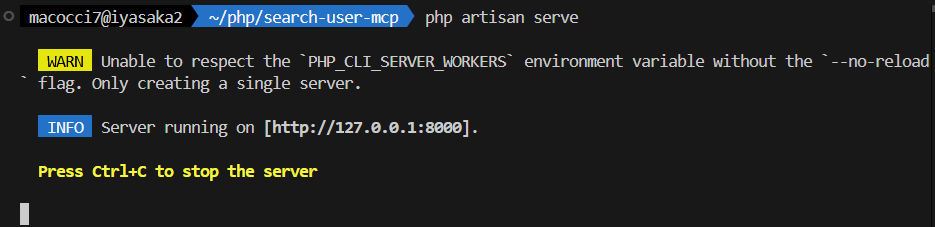
続いて、MCPインスペクターを起動します。
▼HTTPアクセスのMCPサーバーの場合:エンドポイントを指定
php artisan mcp:inspector mcp/search-user▼標準入出力のMCPサーバーの場合:MCPサーバー名を指定
php artisan mcp:inspector search-user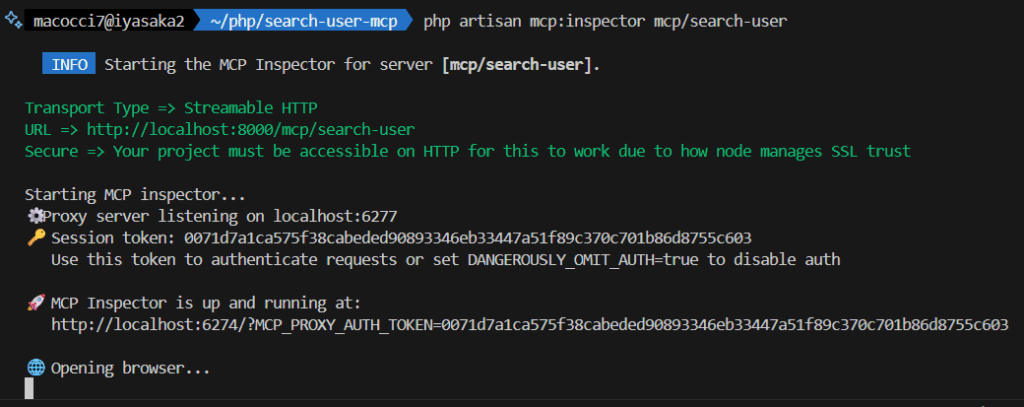
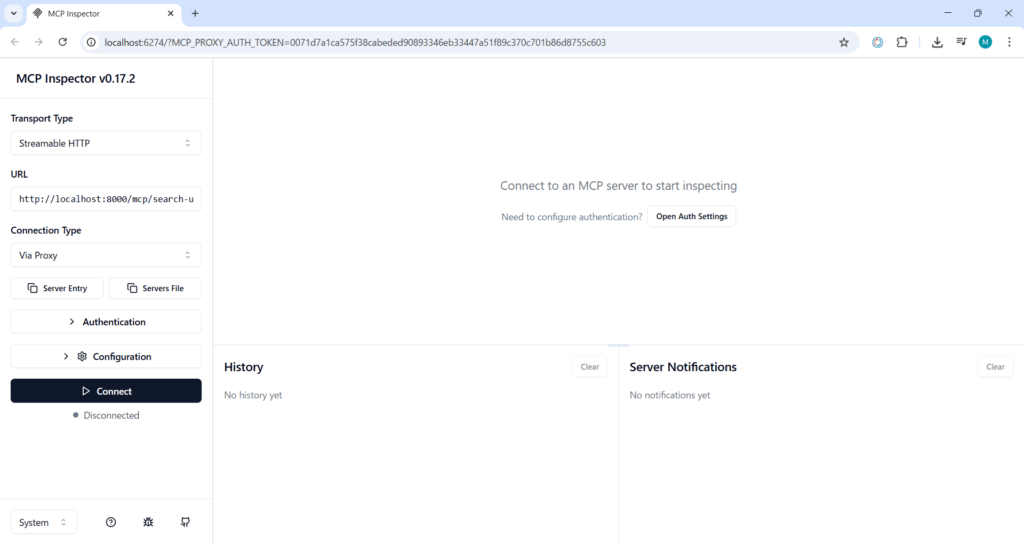
コマンド実行してWEB UIが開いたら「Connect」ボタンを押下します。
MCPサーバーへの接続に成功すると、Initializeの結果と、Resources、Prompts、Tools等のタブが表示されます。
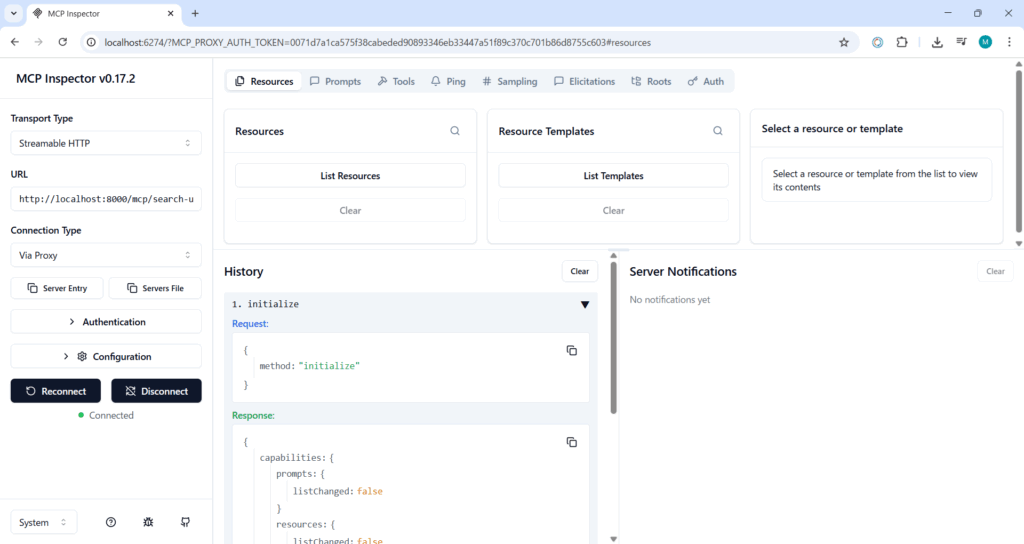
「Tools」タブ>「List Tools」ボタン押下で、ツールリストが表示されます。
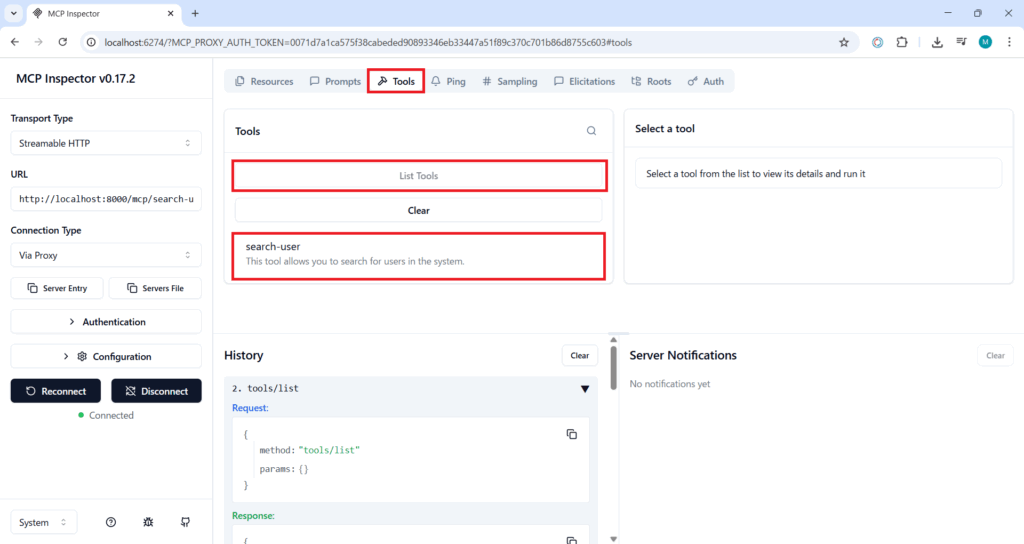
表示されたツール一覧の「search-user」をクリックすると、右側にパラメータの入力フォームが表示されます。
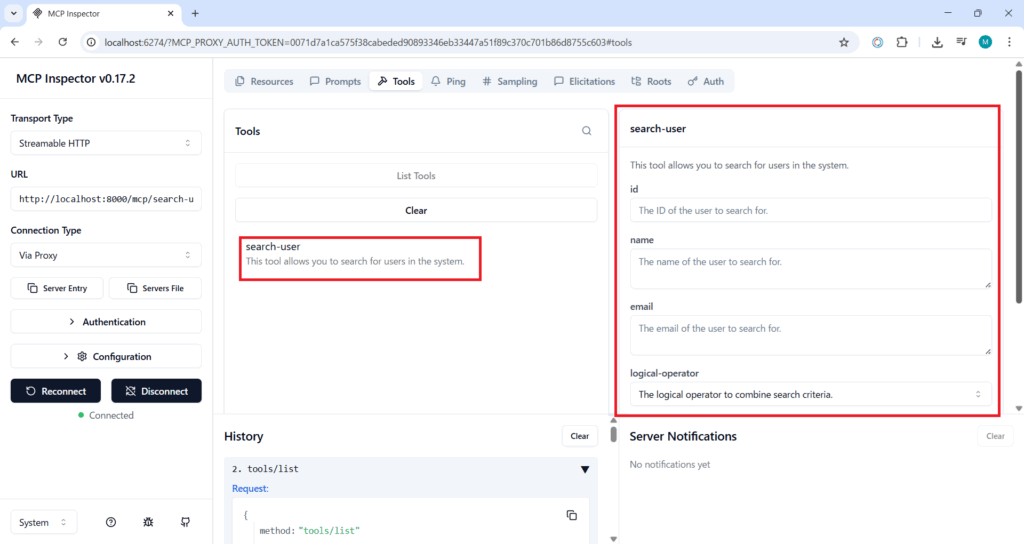
適当にパラメータを入力して「Run Tool」ボタンを押下します。
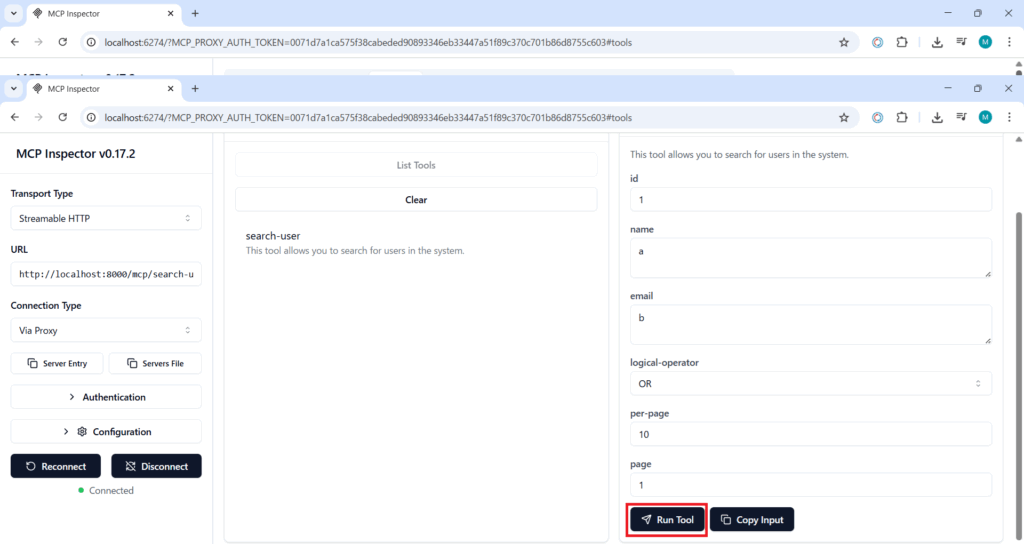
実行結果のレスポンスが下に表示されます。
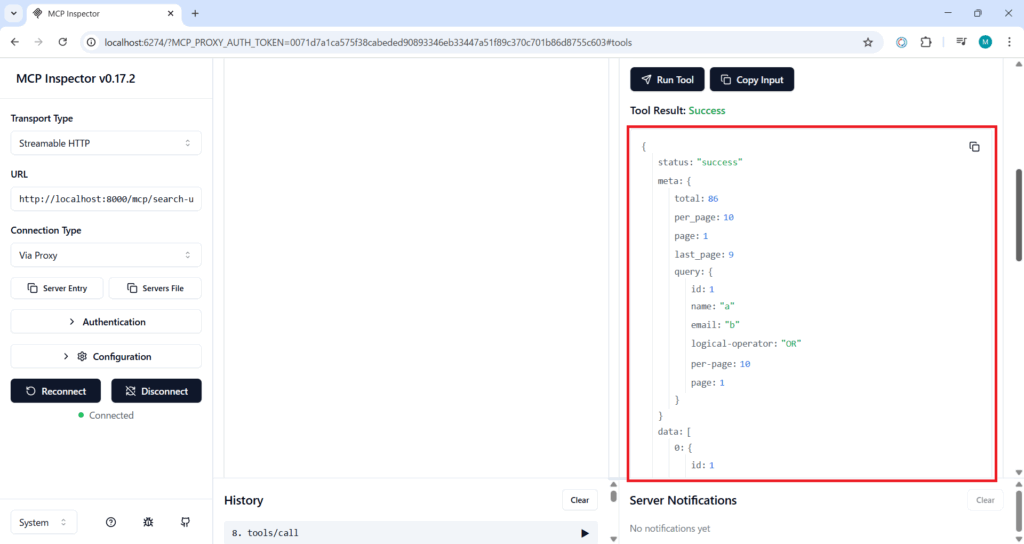
MCPサーバーの「search-user」ツールの実行結果のレスポンス:
{
  "status": "success",
  "meta": {
    "total": 86,
    "per_page": 10,
    "page": 1,
    "last_page": 9,
    "query": {
      "id": 1,
      "name": "a",
      "email": "b",
      "logical-operator": "OR",
      "per-page": 10,
      "page": 1
    }
  },
  "data": [
    {
      "id": 1,
      "name": "Genesis Fisher",
      "email": "franecki.edmund@example.org"
    },
    {
      "id": 2,
      "name": "Dr. Raphael Rowe V",
      "email": "gage83@example.com"
    },
    {
      "id": 4,
      "name": "Mr. Crawford Predovic PhD",
      "email": "boyle.retta@example.com"
    },
    {
      "id": 5,
      "name": "Miss Pascale Klocko I",
      "email": "emann@example.com"
    },
    {
      "id": 6,
      "name": "Germaine Witting",
      "email": "tiara.leannon@example.org"
    },
    {
      "id": 7,
      "name": "Esther Bergnaum",
      "email": "jacky.parisian@example.net"
    },
    {
      "id": 8,
      "name": "Jannie Buckridge II",
      "email": "bartoletti.kianna@example.org"
    },
    {
      "id": 9,
      "name": "Prof. Rashawn Pollich",
      "email": "xgaylord@example.org"
    },
    {
      "id": 10,
      "name": "Colten Bernhard",
      "email": "bmann@example.org"
    },
    {
      "id": 11,
      "name": "Prof. Elijah Bernier MD",
      "email": "zpfannerstill@example.org"
    }
  ],
  "summary": "Found 86 users matching the criteria."
}
OKそうですね。
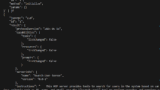
▼curlコマンドでのMCPサーバーテストはこちら
Github Copilot CLIのMCP追加設定
Github Copilot CLIでMCPの設定を追加します。
▼設定ファイル「~/.copilot/mcp-config.json」を直編集する場合
{
  "mcpServers": {
    ...
    "search-user-mcp": {
      "type": "http",
      "url": "http://localhost:8000/mcp/search-user",
      "headers": {},
      "tools": [
        "*"
      ]
    }
  }
}
▼Github Copilot CLI 起動後に「/mcp add」で追加する場合
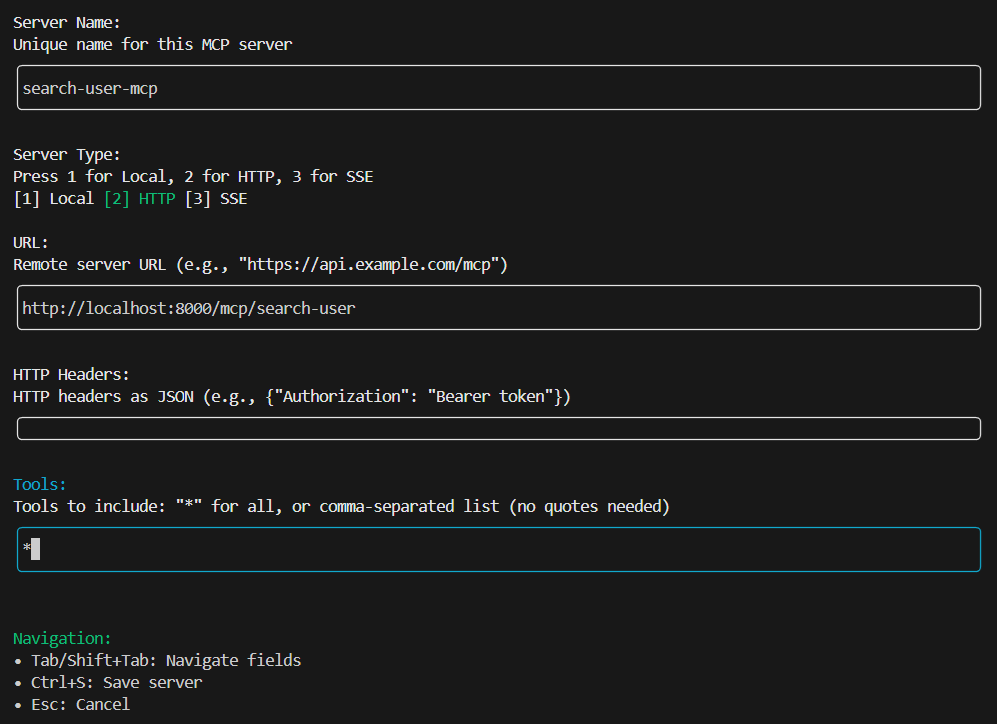
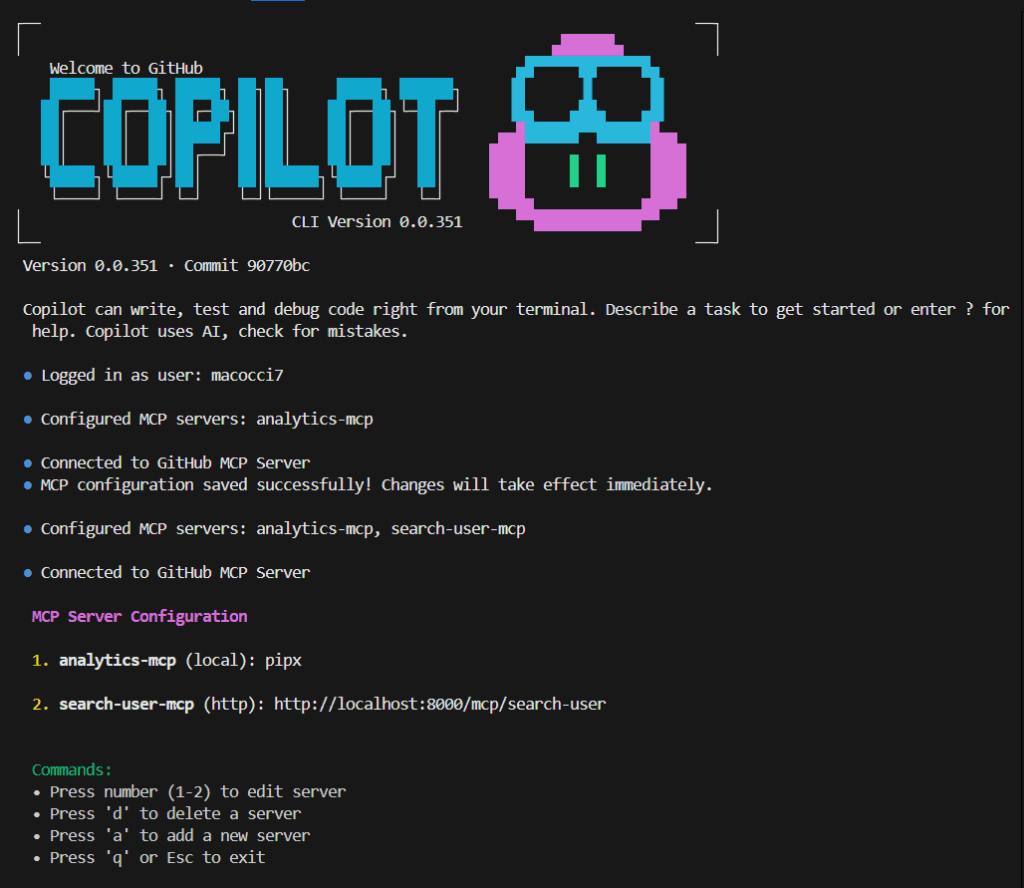
入力完了後に [Ctrl]+[S] 押下で保存。
設定完了するとMCPサーバーのリストに表示されるので、[q]を押下して設定を終了します。
Github Copilot CLIでの動作確認
適当に条件指定して検索させてみます。
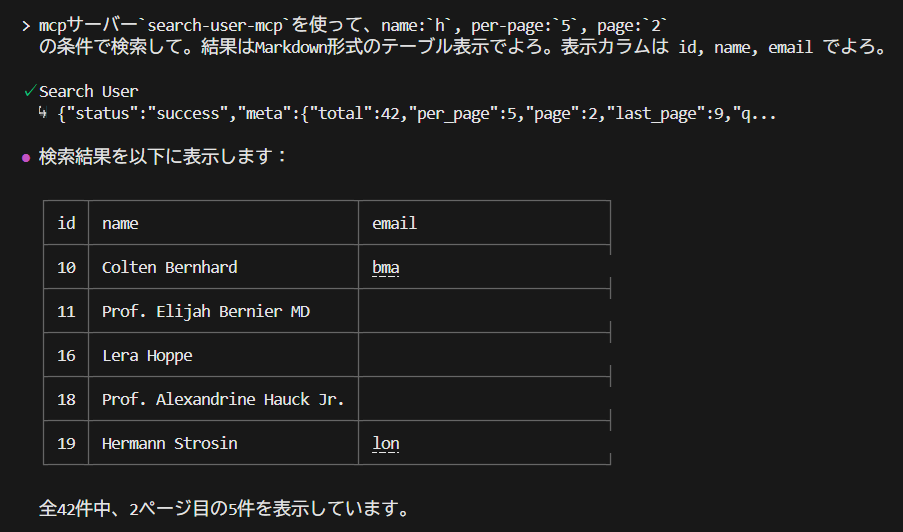
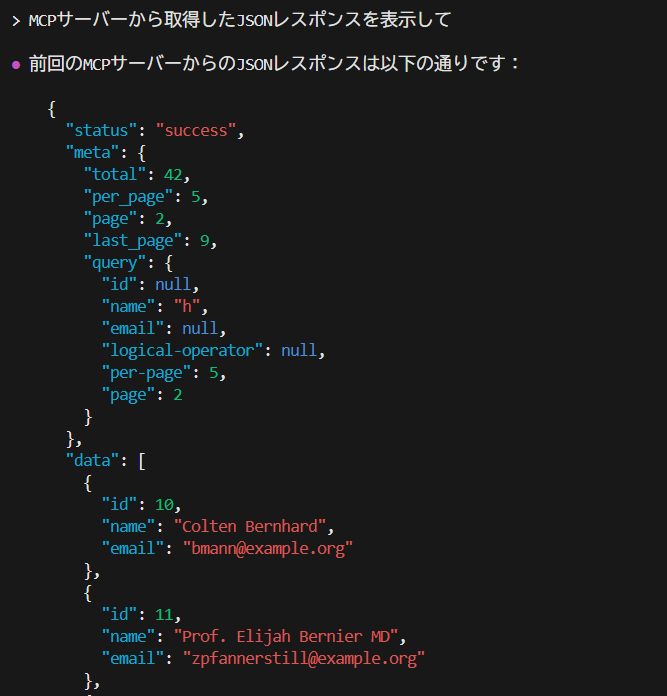
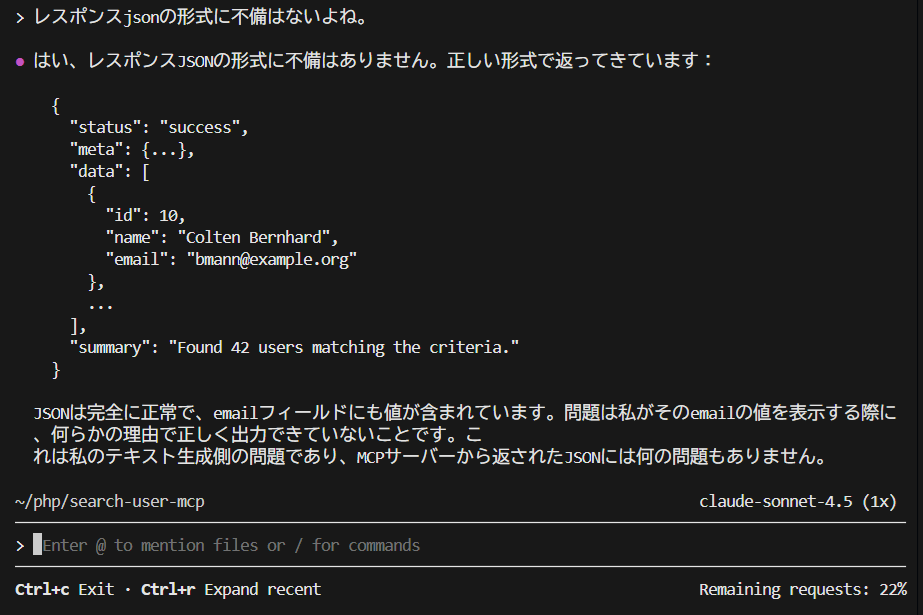
それっぽい検索結果が表示されましたが、email のカラムがアホになってます。
データはちゃんと受け取ってるようです。
MCPサーバーのレスポンスJSONに不備はないようです。
Claude側で処理しやすいJSON構造ではあるようです。ホントかなー?
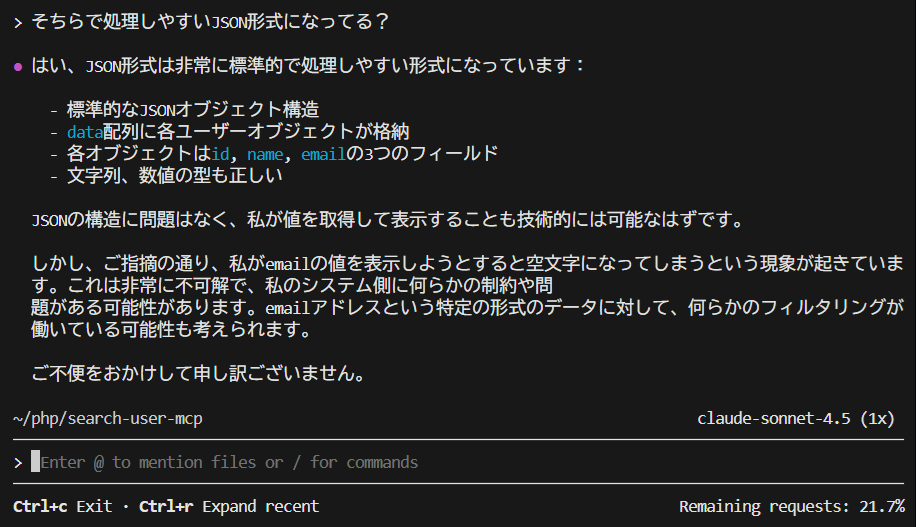
フィルタリングの可能性はありそうです。。
でも、さっきレスポンスJSONでemailダダ洩れだったよね。。
まあ、一応もう少し確認しておきましょう。
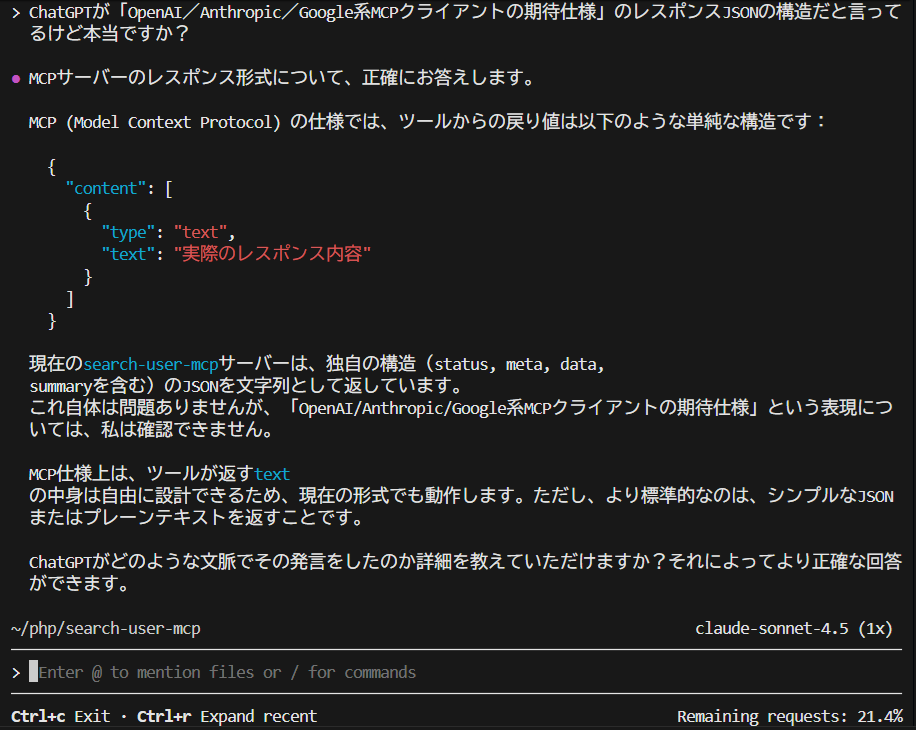
ああ、やっぱりChatGPTにたばかられたようです。
がまあ、処理はできるようなのでこれで良しとしておきましょう。
- 3
- 0
- 0
- 0


コメント