
PythonのWEBフレームワークDjangoを利用したアプリケーションの公式テュートリアルに沿ったWEBアプリケーション作成のメモ第7回です。

前回はビューの追加を行いました。

今回はビューの追加の続きを進めていきます。
ショートカット render()
テンプレートをロードし、コンテキストを入力し、レンダリングされたテンプレートの結果を含む HttpResponse オブジェクトを返すのは、非常に一般的な慣用法です。 Django はショートカットを提供します。書き直された完全な index() ビューは次のとおりです。
▼「polls/views.py」の index() を編集
def index(request):
    latest_question_list = Question.objects.order_by("-pub_date")[:5]
    context = {"latest_question_list": latest_question_list}
    return render(request, "polls/index.html", context)
これらすべてのビューでこれを実行すると、ローダーと HttpResponse をインポートする必要がなくなることに注意してください (詳細、結果、投票のスタブ メソッドがまだある場合は、HttpResponse を保持しておくとよいでしょう)。
render() 関数は、リクエスト オブジェクトを最初の引数として、テンプレート名を 2 番目の引数として、辞書をオプションの 3 番目の引数として受け取ります。指定されたコンテキストでレンダリングされた指定されたテンプレートの HttpResponse オブジェクトを返します。
404エラーを発生させる
次に、質問の詳細ビュー、つまり特定のアンケートの質問テキストを表示するページに取り組んでみましょう。ビューは次のとおりです。
▼「polls/views.py」を編集
※冒頭に追記
from django.http import Http404※「detail()」を編集
def detail(request, question_id):
    try:
        question = Question.objects.get(pk=question_id)
    except Question.DoesNotExist:
        raise Http404("Question does not exist")
    return render(request, "polls/detail.html", {"question": question})
※完成形
from django.http import Http404
from django.http import HttpResponse
from django.shortcuts import render
from django.template import loader
from .models import Question

def index(request):
    latest_question_list = Question.objects.order_by("-pub_date")[:5]
    template = loader.get_template("polls/index.html")
    context = {
        "latest_question_list": latest_question_list,
    }
    return HttpResponse(template.render(context, request))

def detail(request, question_id):
    try:
        question = Question.objects.get(pk=question_id)
    except Question.DoesNotExist:
        raise Http404("Question does not exist")
    return render(request, "polls/detail.html", {"question": question})

def results(request, question_id):
    response = "You're looking at the results of question %s."
    return HttpResponse(response % question_id)

def vote(request, question_id):
    return HttpResponse("You're voting on question %s." % question_id)
ここでの新しい概念: 要求された ID を持つ質問が存在しない場合、ビューは Http404 例外を発生させます。
このpolls/detail.htmlテンプレートに何を入れることができるかについては後ほど説明しますが、上記の例をすぐに動作させたい場合は、次の内容だけを含むファイルを作成してください。
▼「polls/templates/polls/detail.html」を新規作成
{{ question }}▼http://localhost:8000/polls/1/
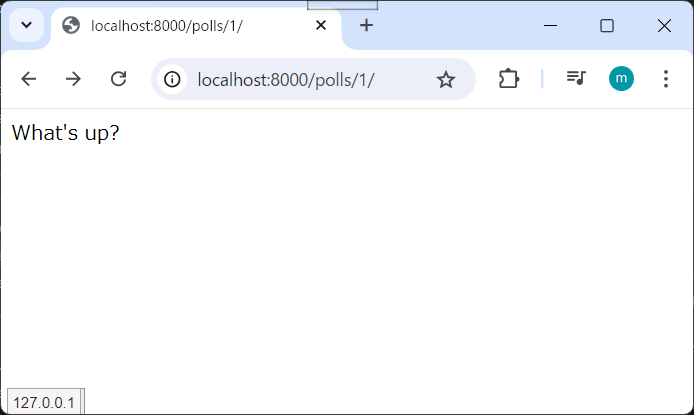
▼http://localhost:8000/polls/100/
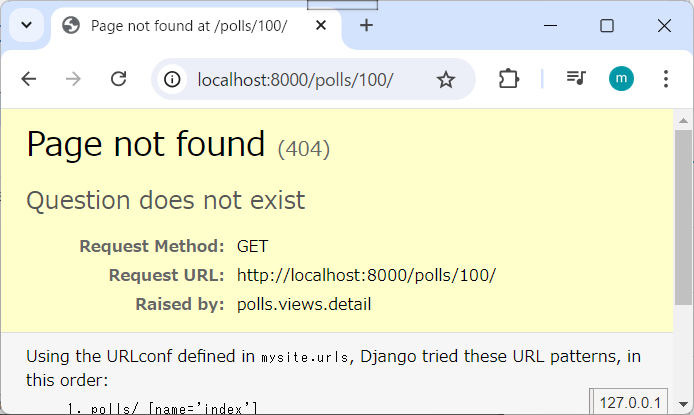
get_object_or_404() ショートカット
オブジェクトが存在しない場合に get() を使用して Http404 を発生させるのは非常に一般的なイディオムです。 Django はショートカットを提供します。書き直されたdetail()ビューは次のとおりです。
▼「polls/views.py」を編集
※冒頭の「render」の行を編集
from django.shortcuts import get_object_or_404, render※「detail()」を編集
def detail(request, question_id):
    question = get_object_or_404(Question, pk=question_id)
    return render(request, "polls/detail.html", {"question": question})
※完成形
from django.http import Http404
from django.http import HttpResponse
from django.shortcuts import get_object_or_404, render
from django.template import loader
from .models import Question

def index(request):
    latest_question_list = Question.objects.order_by("-pub_date")[:5]
    template = loader.get_template("polls/index.html")
    context = {
        "latest_question_list": latest_question_list,
    }
    return HttpResponse(template.render(context, request))

def detail(request, question_id):
    question = get_object_or_404(Question, pk=question_id)
    return render(request, "polls/detail.html", {"question": question})

def results(request, question_id):
    response = "You're looking at the results of question %s."
    return HttpResponse(response % question_id)

def vote(request, question_id):
    return HttpResponse("You're voting on question %s." % question_id)
get_object_or_404() 関数は、Django モデルを最初の引数として受け取り、任意の数のキーワード引数をモデルのマネージャーの get() 関数に渡します。オブジェクトが存在しない場合は Http404 が発生します。
▼http://localhost:8000/polls/1/
▼http://localhost:8000/polls/100/
哲学
高いレベルで ObjectDoesNotExist 例外を自動的にキャッチしたり、モデル API で ObjectDoesNotExist の代わりに Http404 を発生させたりする代わりに、ヘルパー関数 get_object_or_404() を使用するのはなぜですか?
それはモデル層をビュー層に結合することになるからです。 Django の最も重要な設計目標の 1 つは、疎結合を維持することです。いくつかの制御された結合が django.shortcuts モジュールに導入されています。
get_list_or_404() 関数もあります。これは、get() の代わりに filter() を使用することを除いて、get_object_or_404() と同じように機能します。リストが空の場合は Http404 が発生します。
テンプレートシステムの利用
投票アプリケーションのdetail()ビューに戻ります。コンテキスト変数の質問を考慮すると、polls/detail.html テンプレートは次のようになります。
▼「polls/templates/polls/detail.html」
<h1>{{ question.question_text }}</h1>
<ul>
{% for choice in question.choice_set.all %}
    <li>{{ choice.choice_text }}</li>
{% endfor %}
</ul>▼http://localhost:8000/polls/1/
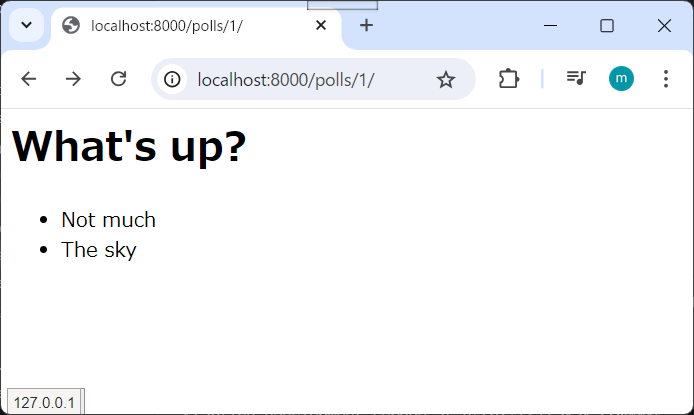
テンプレート システムは、ドットルックアップ構文を使用して変数属性にアクセスします。 {{ question.question_text }} の例では、Django は最初にオブジェクトの question に対して辞書検索を行います。これに失敗すると、属性検索が試行されますが、この場合は機能します。属性検索が失敗した場合は、リストインデックス検索が試行されます。
メソッド呼び出しは、{% for %} ループで行われます。question.choice_set.all は、Python コード question.choice_set.all() として解釈され、Choice オブジェクトの反復可能を返し、{% for %}タグ での使用に適しています。
テンプレートの詳細については、テンプレート ガイドを参照してください。
テンプレート内の直書きURLの削除
覚えておいてください、polls/index.html テンプレートに質問へのリンクを書いたとき、リンクは次のように部分的にハードコードされていました。
<li><a href="/polls/{{ question.id }}/">{{ question.question_text }}</a></li>このハードコーディングされた密結合アプローチの問題は、多数のテンプレートを含むプロジェクトで URL を変更することが困難になることです。ただし、polls.urls モジュールの path() 関数で name 引数を定義したため、{% url %} テンプレート タグを使用して、URL 設定で定義された特定の URL パスへの依存を削除できます。
<li><a href="{% url 'detail' question.id %}">{{ question.question_text }}</a></li>▼「polls/templates/polls/index.html」の完成形
{% if latest_question_list %}
    <ul>
    {% for question in latest_question_list %}
    <li><a href="{% url 'detail' question.id %}">{{ question.question_text }}</a></li>
    {% endfor %}
    </ul>
{% else %}
    <p>No polls are available.</p>
{% endif %}これが機能する方法は、polls.urls モジュールで指定されている URL 定義を検索することです。 「detail」の URL 名がどこで定義されているかを以下で正確に確認できます。
▼「polls/urls.py」
...
# the 'name' value as called by the {% url %} template tag
path("<int:question_id>/", views.detail, name="detail"),
...pollsのdetailビューの URL を別の URL に変更したい場合は、テンプレート (または複数のテンプレート) で行う代わりに、polls/urls.py で変更することになります。
▼「polls/urls.py」の変更例
...
# added the word 'specifics'
path("specifics/<int:question_id>/", views.detail, name="detail"),
...
URL名の名前空間化
このチュートリアル プロジェクトには、polls というアプリ 1 つだけがあります。実際の Django プロジェクトには、5 つ、10 つ、20 つ以上のアプリが存在する可能性があります。 Django は URL 名をどのように区別するのでしょうか? たとえば、pollsアプリには detail ビューがあり、同じプロジェクトのブログ用アプリにも詳細ビューがある可能性があります。 {% url %} テンプレート タグを使用するときに、URL に対してどのアプリ ビューを作成するかを Django が認識できるようにするにはどうすればよいでしょうか?
答えは、URLconf に名前空間を追加することです。 polls/urls.py ファイルで、app_name を追加してアプリケーションの名前空間を設定します。
▼「polls/urls.py」を編集
※「url_patterns」の前の行に追記
app_name = "polls"※完成形
from django.urls import path

from . import views

app_name = "polls"
urlpatterns = [
    # ex: /polls/
    path("", views.index, name="index"),
    # ex: /polls/5/
    path("<int:question_id>/", views.detail, name="detail"),
    # ex: /polls/5/results/
    path("<int:question_id>/results/", views.results, name="results"),
    # ex: /polls/5/vote/
    path("<int:question_id>/vote/", views.vote, name="vote"),
]ここで、polls/index.html テンプレートを次のように変更します。
▼「polls/templates/polls/index.html」を編集
※「<li>~」の行を編集
<li><a href="{% url 'polls:detail' question.id %}">{{ question.question_text }}</a></li>※完成形
{% if latest_question_list %}
    <ul>
    {% for question in latest_question_list %}
        <li><a href="{% url 'polls:detail' question.id %}">{{ question.question_text }}</a></li>
    {% endfor %}
    </ul>
{% else %}
    <p>No polls are available.</p>
{% endif %}ビューの作成に慣れてきたら、このチュートリアルのパート 4 を読んで、フォーム処理と汎用ビューの基本を学習してください。
今回は以上です。次回はフォームを予定しています。
- 0
- 0
- 0
- 0



コメント