
PythonのWEBフレームワークDjangoを利用したアプリケーションの公式テュートリアルに沿ったWEBアプリケーション作成のメモ第4回です。

前回はモデルの設定とマイグレーションを行いました。

今回はPythonのインタラクティブPythonシェルを使ってDBの操作を行っていきます。
Pythonシェルでのモデル操作
python manage.py shell
manage.py は DJANGO_SETTINGS_MODULE 環境変数を設定し、Django に mysite/settings.py ファイルへの Python インポート パスを与えるため、単に「python」と入力する代わりにこれを使用しています。
シェルに入ったら、データベース API を調べます。
▼モデルのインポートと全レコードの取得
from polls.models import Choice, Question
Question.objects.all()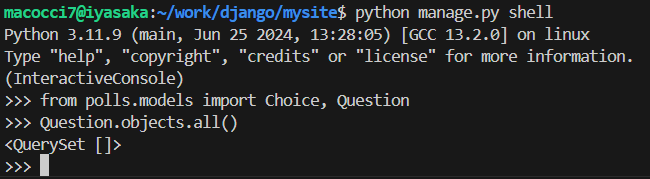
まだレコードがないので空のリストが返されます。
▼timezoneのimportとQuestionレコード作成
from django.utils import timezone
q = Question(question_text="What's new?", pub_date=timezone.now())
q.save()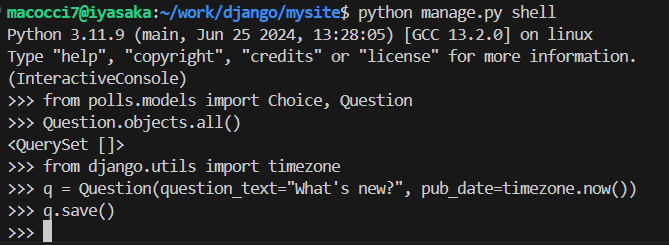
▼作成したレコードの各カラムの値確認
q.id
q.question_text
q.pub_date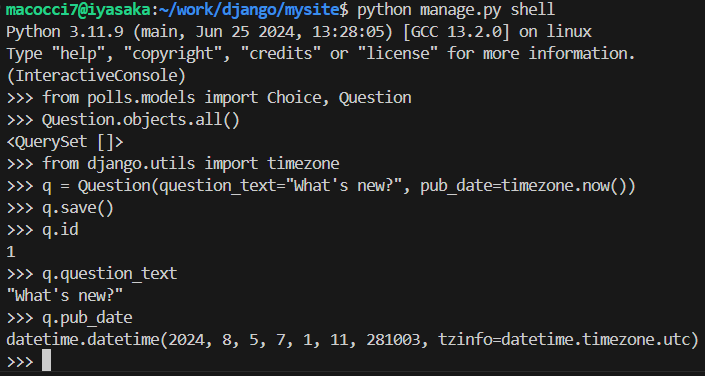
▼レコードの更新
q.question_text = "What's up?"
q.save()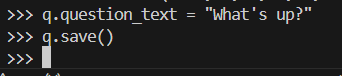
▼全レコードの再取得
Question.objects.all()
models.py編集
ちょっと待ってください。 <QuerySet [<Question: Question object (1)>]> は、このオブジェクトを表すのに役立ちません。 (polls/models.py ファイル内の) Question モデルを編集し、Question と Choice の両方に __str__() メソッドを追加することで、この問題を修正しましょう。
▼「polls/models.py」を編集
from django.db import models

class Question(models.Model):
    question_text = models.CharField(max_length=200)
    pub_date = models.DateTimeField("date published")
    def __str__(self):
        return self.question_text

class Choice(models.Model):
    question = models.ForeignKey(Question, on_delete=models.CASCADE)
    choice_text = models.CharField(max_length=200)
    votes = models.IntegerField(default=0)
    def __str__(self):
        return self.choice_text
▼この変更により、出力に「question_text」の値が出力される。

__str__() メソッドをモデルに追加することは重要です。これは、対話型プロンプトを処理する際の利便性のためだけでなく、オブジェクトの表現が Django の自動生成された管理全体で使用されるためでもあります。
このモデルにカスタム メソッドも追加しましょう。
▼「polls/models.py」を編集
import datetime
from django.db import models
from django.utils import timezone

class Question(models.Model):
    question_text = models.CharField(max_length=200)
    pub_date = models.DateTimeField("date published")
    def __str__(self):
        return self.question_text
    def was_published_recently(self):
        return self.pub_date >= timezone.now() - datetime.timedelta(days=1)

class Choice(models.Model):
    question = models.ForeignKey(Question, on_delete=models.CASCADE)
    choice_text = models.CharField(max_length=200)
    votes = models.IntegerField(default=0)
    def __str__(self):
        return self.choice_text
import datetime と from django.utils import timezone が追加されており、それぞれ Python の標準 datetime モジュールと django.utils.timezone 内の Django のタイムゾーン関連ユーティリティを参照していることに注意してください。 Python でのタイム ゾーンの処理に慣れていない場合は、タイム ゾーンのサポート ドキュメントで詳細を学ぶことができます。
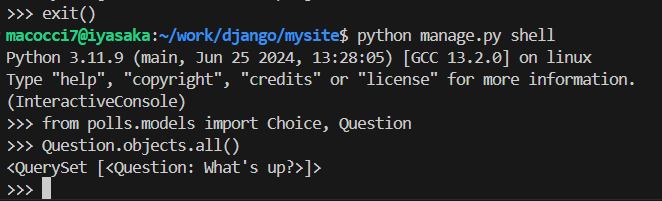
これらの変更を保存し、python manage.py shell を再度実行して、新しい Python 対話型シェルを開始します。
▼モデルのインポートと全レコード取得
▼id指定でのレコード取得と、テキストの前方一致検索
Question.objects.filter(id=1)
Question.objects.filter(question_text__startswith="What")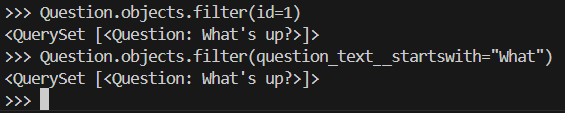
▼pub_dateが今年のものを検索
from django.utils import timezone
current_year = timezone.now().year
Question.objects.get(pub_date__year=current_year)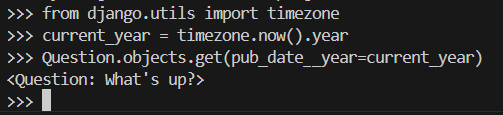
▼存在しないIDを指定して検索→Exception発生
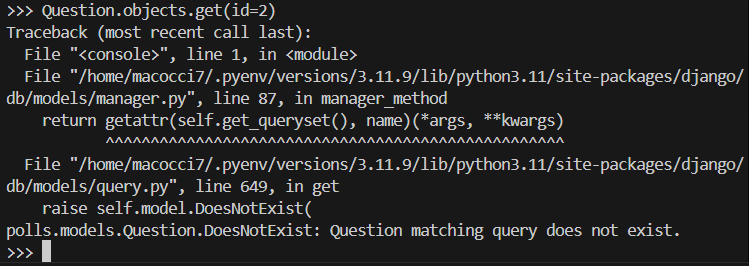
主キーによる検索が最も一般的なケースであるため、Django は主キーの正確な検索のためのショートカットを提供します。以下は Question.objects.get(id=1) と同じです。
▼プライマリーキーのショートカットによる検索
Question.objects.get(pk=1)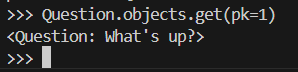
▼追加したカスタムメソッドの確認
q = Question.objects.get(pk=1)
q.was_published_recently()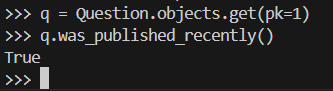
選択肢レコード作成
質問にいくつかの選択肢を与えます。 create 呼び出しは、新しい Choice オブジェクトを構築し、INSERT ステートメントを実行し、利用可能な選択肢のセットに選択肢を追加して、新しい Choice オブジェクトを返します。 Django は、API 経由でアクセスできるForeignKey リレーション (質問の選択肢など) の「反対側」を保持するセット (「choice_set」として定義) を作成します。
▼質問に紐づいた選択肢の取得(現状は空)
q = Question.objects.get(pk=1)
q.choice_set.all()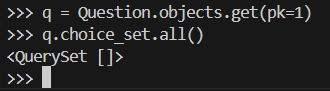
▼選択肢レコードの作成
q.choice_set.create(choice_text="Not much", votes=0)
q.choice_set.create(choice_text="The sky", votes=0)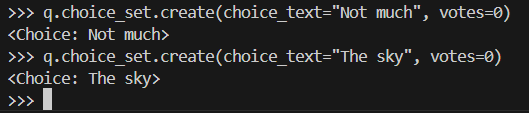
▼作成した選択肢を基に質問レコードへアクセス
c = q.choice_set.create(choice_text="Just hacking again", votes=0)
c.question
▼作成した質問レコード全取得とレコードカウント
q.choice_set.all()
q.choice_set.count()
API は必要に応じて関係を自動的に追跡します。関係を区切るには、二重アンダースコアを使用します。これは、必要なレベルの深さに応じて機能します。制限はありません。 pub_date が今年の質問のすべての選択肢を検索します (上で作成した ‘current_year‘ 変数を再利用します)。
▼質問のpub_dateが今年のものの選択肢を検索
Choice.objects.filter(question__pub_date__year=current_year)
レコードの削除
▼「Just hacking」で始まる選択肢レコードを削除
c = q.choice_set.filter(choice_text__startswith="Just hacking")
c.delete()
▼質問の選択肢レコードが削除されていることを確認

今回は以上です。
次回はDjango Adminの導入を予定しています。
- 0
- 0
- 0
- 0



コメント